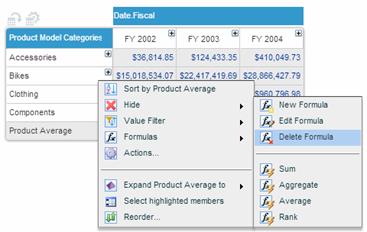
 next to the name of the formula you want to delete. Select Formulas > Delete Formula.
The Delete Formula option deletes a formula permanently and it cannot be restored.
To delete a formula:
In the grid, click next to the name of the formula you want to delete. Select Formulas > Delete Formula.
You can also delete a formula after displaying it in the Formula Pane and using the Remove Formula button  .
.