Hiding Components
In Design Mode  , you can hide components that are not contributing to your current work, by dragging them to the container at the bottom of the workboard. For example, if the connected view is only a source of information for your chart component and you don’t need it on the workboard, you can hide it in the container area.
You can drag a component from the container back to the workboard.
To hide a component:
Drag the component by its title bar to the container at the bottom.
The following example shows the view component “Sales Amount by Products over Region” being dragged to the container.
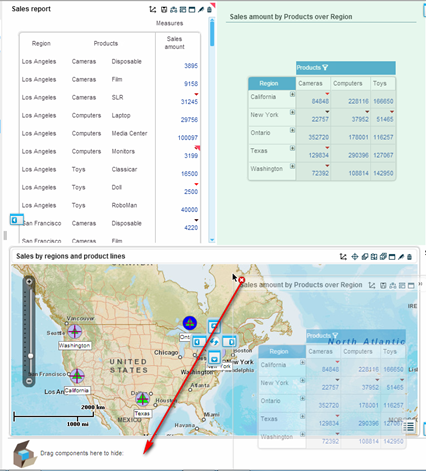
The view component is now hidden in the container. It appears there as an icon that you can drag back to the workboard.

A tooltip shows the name of the component.
Clicking the Remove  button deletes the component from the container and the workboard.