 in the member heading, and from the member menu select Hide highlighted members.
You can use the Hide options to hide highlighted dimension members and to reveal hidden members.
To hide a single member:
Click in the member heading, and from the member menu select Hide highlighted members.
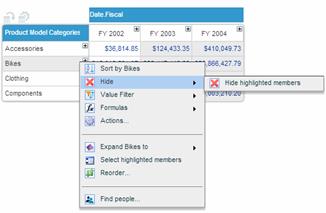
The member is now removed from the grid and the chart.
To hide multiple members:
Select the members you want to hide using Ctrl-click or Shift-click. Click in one of the member’s heading, and select Hide highlighted members.
To show hidden members:
Click on a member heading in the dimension that has hidden members.
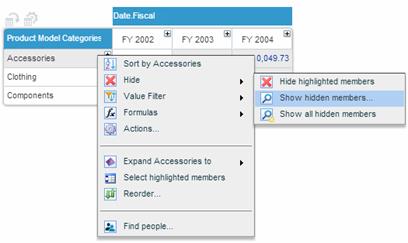
Select one of the following:
· Show all hidden members: to reveal all hidden members in the dimension.
· Show hidden members: to display the Show Hidden Members window.
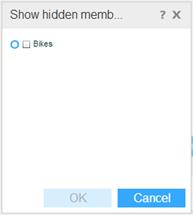
This window lists all the hidden members from which you can choose the member(s) that you want to unhide. Select the members and click OK.