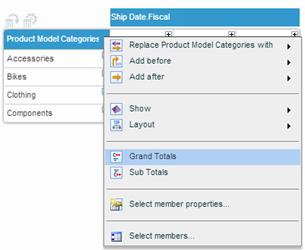
The Grand Total option displays a row or column of totals for a selected dimension. The totals can be displayed before or after the other rows/columns.
To show grand totals for a dimension:
Click on the dimension heading and select Grand Totals from the dimension menu.
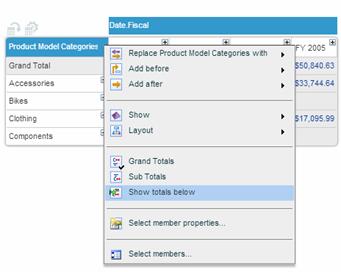
To display totals after other data:
After displaying the totals, open the dimension menu and select the Show Totals Below option. The total row or column will move to the end of the data (bottom row or rightmost column).
To hide grand totals for a dimension:
Click on the dimension heading and deselect Grand Totals from the dimension menu.
Example
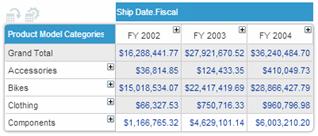
In the following example, grand totals are displayed for the Product Model Categories dimension.