option on the title bar of a view component to choose a layout for displaying the data:
You can use the Layout option on the title bar of a view component to choose a layout for displaying the data:
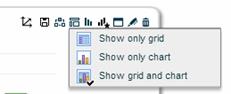
Show only grid
The grid is the main work area where you explore and analyze the view data. It displays data in a grid with two axes (rows and columns), on which you can place two or more dimensions from the data source.
Show only chart
The chart is a graphical representation of the same data you see in the grid.
When you choose this layout or the Show Grid and Chart layout, the Chart  button appears on the component’s title bar. Use this button to choose chart types and select chart options.
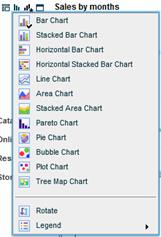
You can use the Chart Templates button to display the chart according to a template.
Show grid and chart
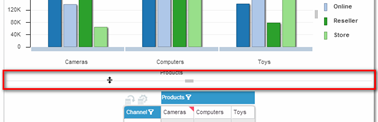
When both the crosstab and the chart are displayed, you can resize these areas by dragging the boundary between them.