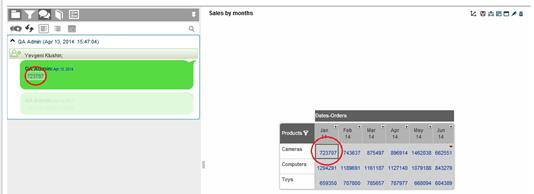
When you open a discussion message you have received from another user (see New Discussion Notification) and click on a grid member name or cell value that it contains, the relevant workboard opens in snapshot mode.
A data snapshot displays the view in the workboard according to the slicing performed by the sender of the discussion message, so that you can directly see the member or value referred by the sender.
The grid displays in gray and the Data Snapshot button appears in the upper left corner of the grid. Point to the corner to reveal the button and display the tooltip with details about the data snapshot.
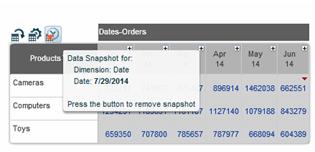
Click the Data Snapshot button to remove the snapshot.