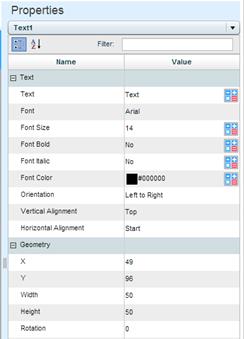
From the dropdown list at the top of the Properties Pane, select the text object whose properties you want to define.
Text
Enter the text that should appear in the graphic object. Or, use the Data Link  option.
Font, Font Size, Bold, Italic, Color
Set the font, the font size, the type and color of the text. You can use the Data Link option to set a rule for changing the font attributes.
Orientation
The orientation of the text: Left-to-right or right-to-left.
Vertical Alignment
The vertical justification of the text string: top, middle or bottom.
Horizontal Alignment
The horizontal justification of the text string: start, center or end.
X, Y
The position of the container.
Width, Height
The width and height of the container.
Rotation
If the text should be rotated, specify the value of rotation in degrees.